Software for iPhone, Mac and Apple Watch

Calm, private apps for Mac and iPhone.

DijitalWorlds builds native apps that clear storage clutter and support healthier daily habits. Your photos, files and health data are processed on your device, never on our servers.

  • Processed on device
  • Nothing deleted without your OK
  • Built natively in Swift

Built for iPhone, Mac and Apple Watch

On-device processing

Photo, video and file analysis runs locally.

Review before delete

Nothing is removed until you confirm it.

Native Swift

SwiftUI apps that feel at home on Apple devices.

No media uploads

Your library never reaches our servers.

01

Mac · Photo library

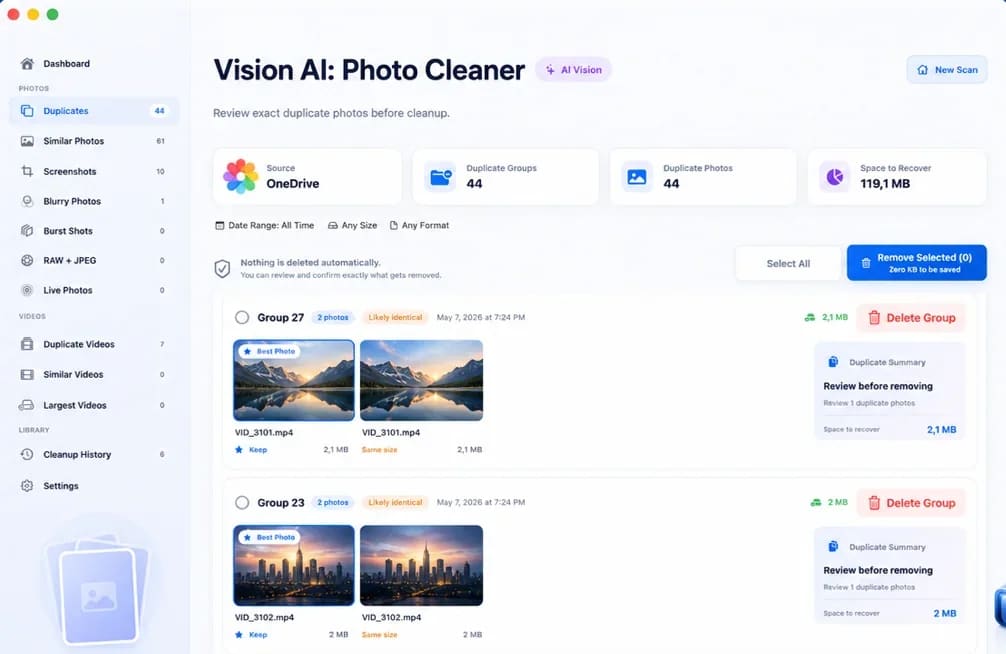
Vision AI: Photo Cleaner

Find the doubles. Keep the moments.

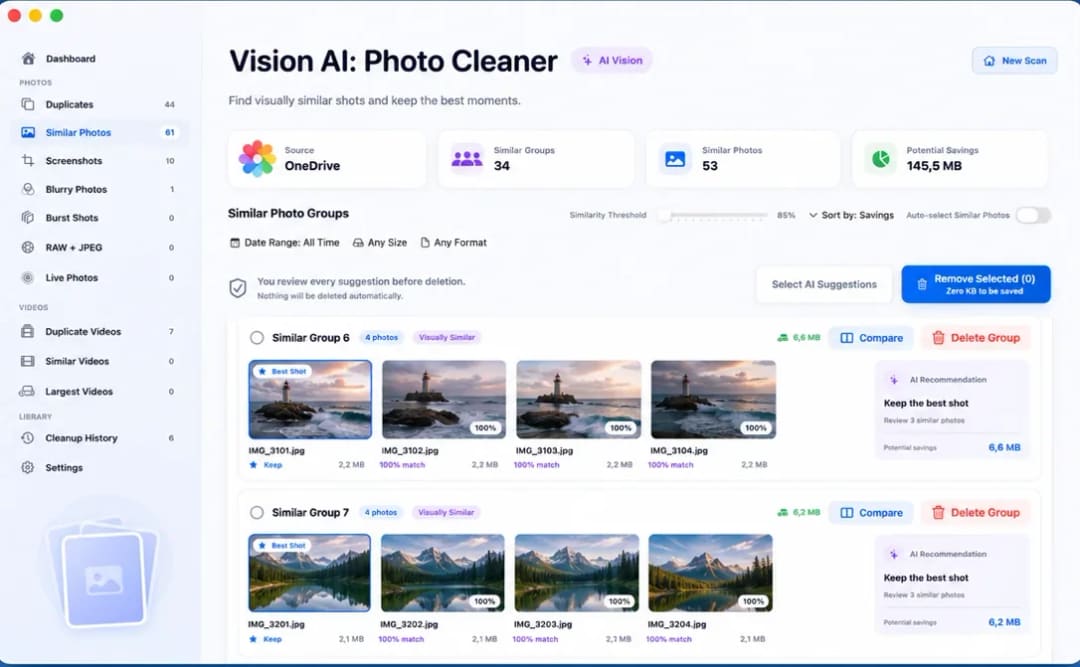
Find duplicate and similar photos, review large videos and compress videos locally on your Mac. Choose what to keep and confirm every cleanup.

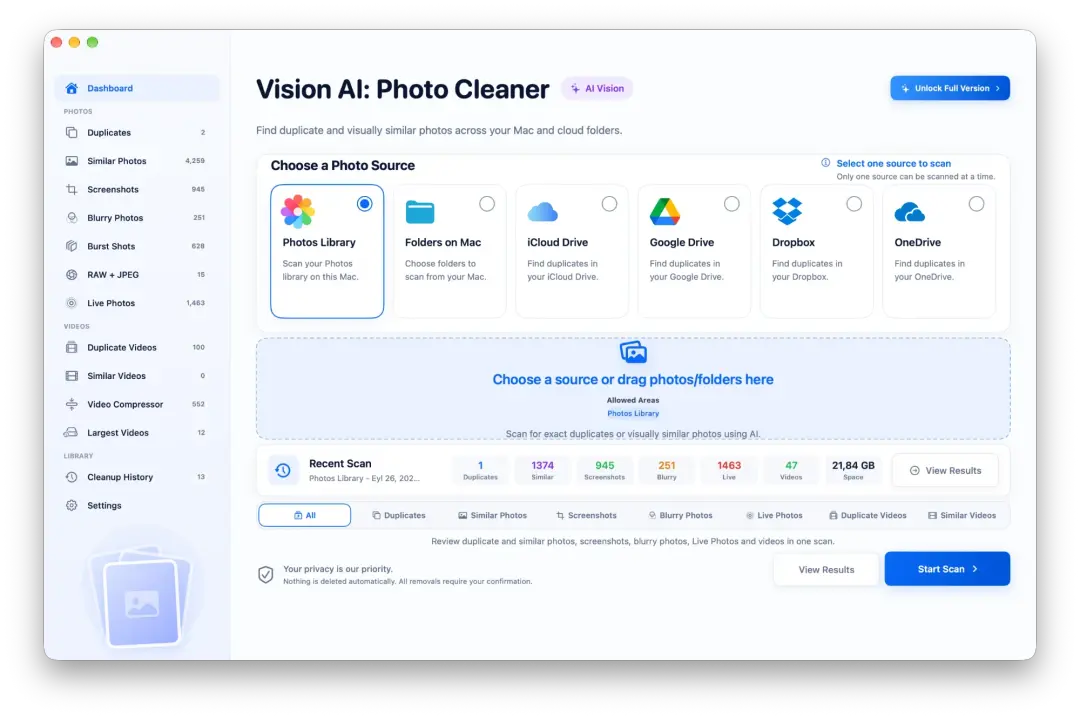
Vision AI: Photo Cleaner
  1. 01Video Compressor
  2. 02Duplicate Groups
  3. 03Similar Photos
  4. 04Screenshot Cleanup
02

Mac · Disk and system

Smart Cleaner AI: Disk Clean

Space back, without the guesswork.

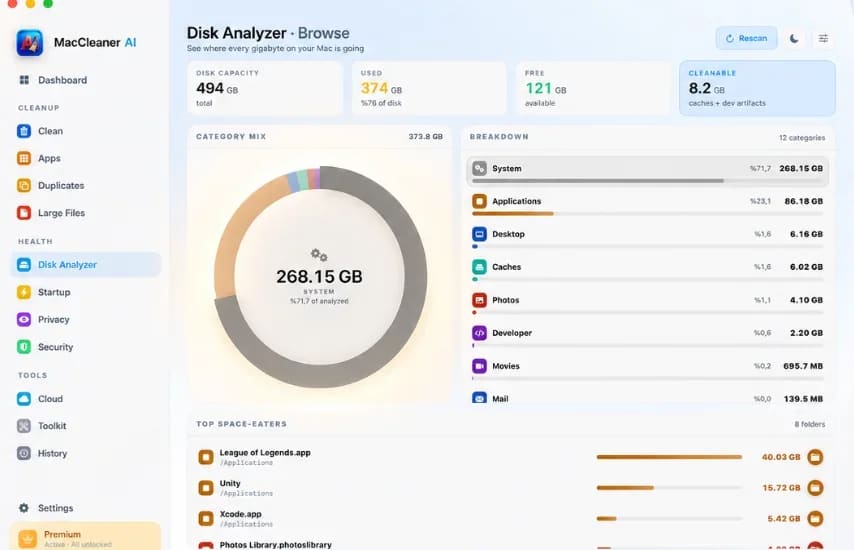
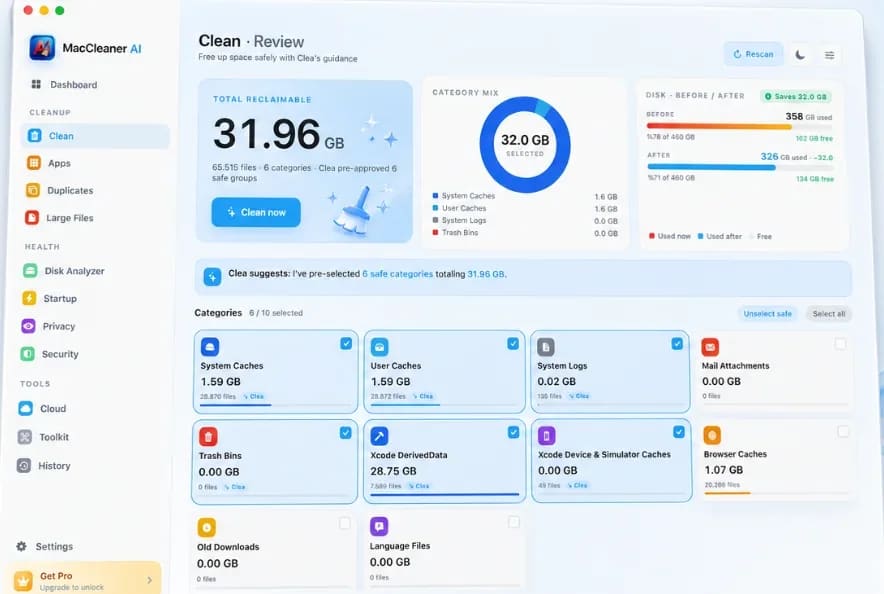
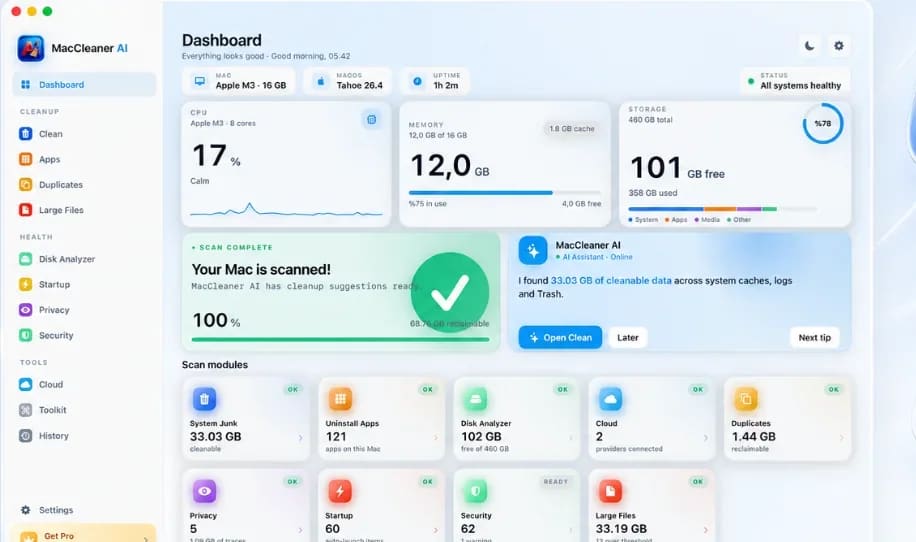
Smart Cleaner AI: Disk Clean scans caches, duplicate files, large downloads, old apps and privacy traces in one calm macOS dashboard.

  • AI Smart Cleanup
  • Duplicate Finder
  • Large Files
  • Privacy Tools
Smart Cleaner AI: Disk Clean
Ready to review
31.96 GB
Every category is reviewed before removal
03

iPhone · Storage

Clean Up Storage - Photo Clean

Room for new photos, without losing old ones.

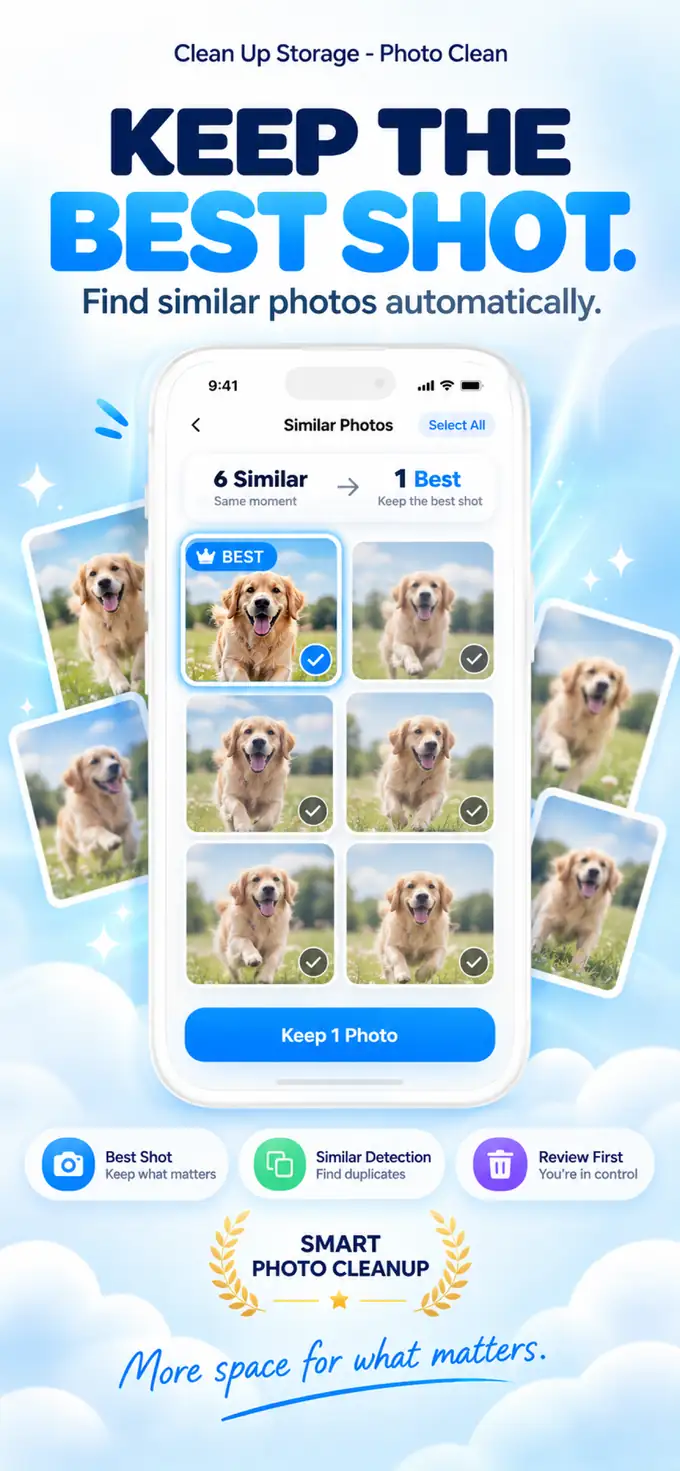
Clean Up Storage - Photo Clean identifies duplicate photos, bulky videos, and clutter like old screenshots to help you regain valuable storage space, 100% privately.

1Find Duplicates
2Smart Compression
Similar Photos
3Merge Contacts
4Private Processing
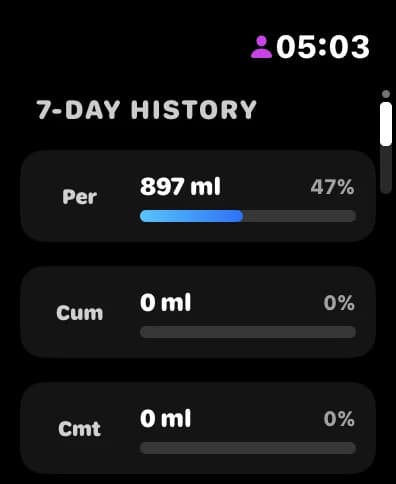
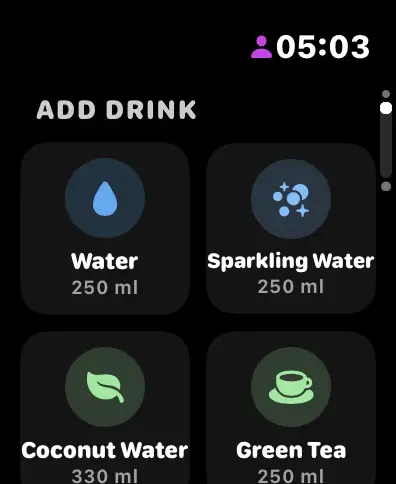
Water Reminder DropWise, iPhone and Apple Watch
04

iPhone and Apple Watch · Health

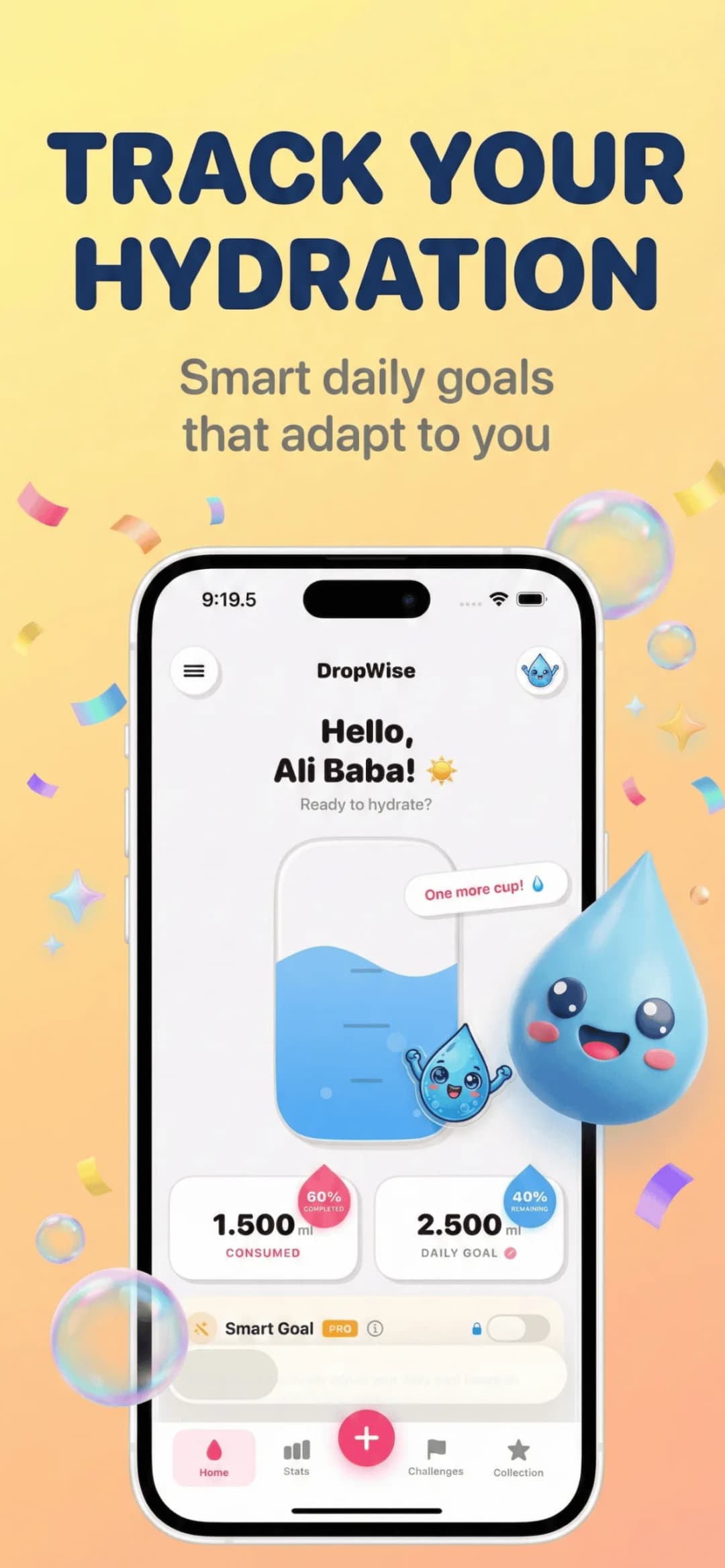
Water Reminder DropWise

A water reminder that reads the weather.

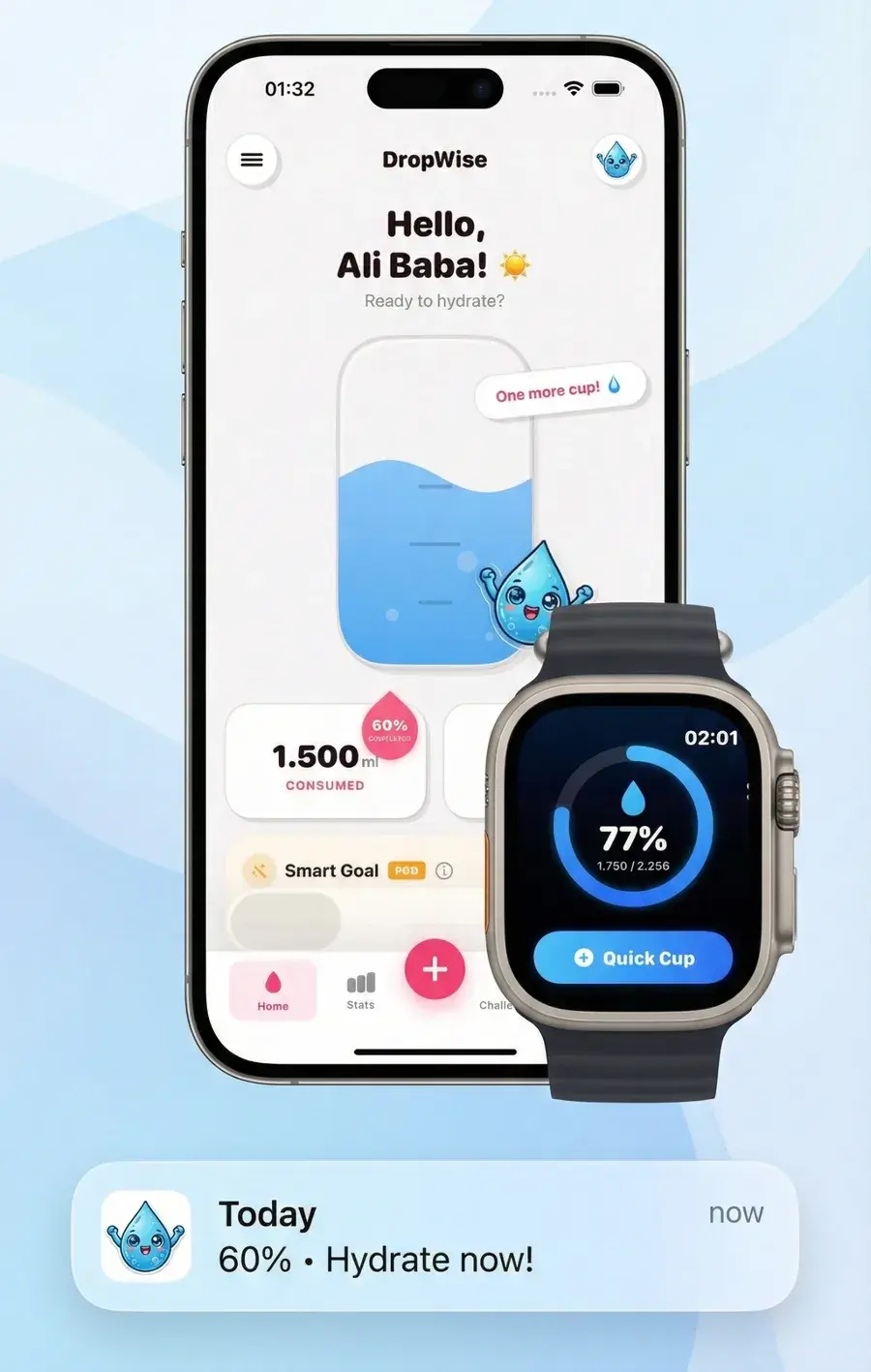
Water Reminder DropWise is the smart water reminder that calculates your target based on local weather and activity. Stay hydrated and improve your overall health.

  • Weather Aware
  • Apple Health Sync
  • Apple Watch App
  • Smart Reminders

Why DijitalWorlds

Small tools, held to a high standard.

We would rather ship four apps we are proud of than forty we are not. Every release is measured against the same six principles.

  1. 01

    Native first

    Written in Swift and SwiftUI, following Apple's interface conventions instead of fighting them.

  2. 02

    Processed on device

    Photo, video and file analysis happens on your iPhone or Mac, not on a remote server.

  3. 03

    You decide

    Every cleanup is a suggestion. Nothing is deleted until you review it and confirm.

  4. 04

    Private by design

    No media uploads, and a plain-language privacy policy for every app.

  5. 05

    Fast and light

    Built to scan large libraries quickly, then stay out of your way.

  6. 06

    Honest software

    Clear results, no scare tactics and no pressure to upgrade.

Engineered for Apple

Built on the frameworks Apple builds on.

Each app relies on Apple's own frameworks for the heavy lifting, so analysis stays fast, efficient and private by default.

L1

Interface

  • SwiftUI
  • AppKit
  • UIKit

SwiftUI, AppKit and UIKit for interfaces that feel native on every device.

Used inVision AI: Photo CleanerSmart Cleaner AI: Disk CleanClean Up Storage - Photo CleanWater Reminder DropWise
L2

On-device intelligence

  • Vision
  • CryptoKit
  • AVFoundation

Vision, CryptoKit and AVFoundation recognise similar shots, match exact copies and compress video locally.

Used inVision AI: Photo CleanerSmart Cleaner AI: Disk CleanClean Up Storage - Photo Clean
L3

Data and health

  • PhotoKit
  • Contacts
  • HealthKit
  • WeatherKit

PhotoKit, Contacts, HealthKit and WeatherKit, accessed only with your permission.

Used inVision AI: Photo CleanerClean Up Storage - Photo CleanWater Reminder DropWise
L4

Platform services

  • StoreKit
  • WidgetKit
  • App Intents
  • WatchConnectivity

StoreKit, WidgetKit, App Intents and WatchConnectivity for purchases, widgets, Shortcuts and Apple Watch.

Used inVision AI: Photo CleanerSmart Cleaner AI: Disk CleanClean Up Storage - Photo CleanWater Reminder DropWise

Privacy

Your photos stay where they belong.

When you scan your library, every step happens on your device. There is no upload, no remote analysis and no copy on our side.

  1. 01

    On your device

    Your library is read locally, only with your permission.

  2. 02

    Analysed locally

    Apple's Vision framework groups duplicates and similar shots on device.

  3. 03

    You review

    Suggestions appear side by side. You choose what stays.

  4. 04

    You confirm

    Confirmed items go to Recently Deleted or the Trash, so they can still be restored.

No server in the loop

Media never leaves your device for analysis.

Clean Up Storage uses Firebase for crash and diagnostic reports. DropWise syncs through your private iCloud and Apple Health only if you turn it on.

Read the privacy policy

Inside the apps

A closer look inside the apps.

Screens from the shipping Mac and Apple Watch apps.

  • Vision AI: Photo Cleaner: Similar photos, grouped with a suggested best shot
    Similar photos, grouped with a suggested best shotVision AI
  • Smart Cleaner AI: Disk Clean: Smart cleanup with a review step
    Smart cleanup with a review stepSmart Cleaner AI
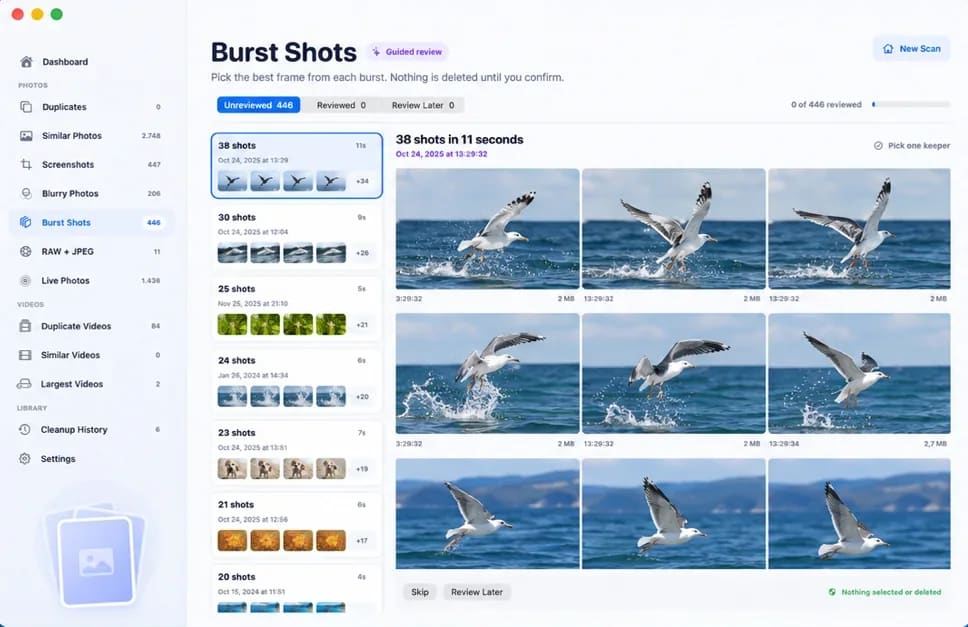
  • Vision AI: Photo Cleaner: Burst shots, reviewed frame by frame
    Burst shots, reviewed frame by frameVision AI
  • Smart Cleaner AI: Disk Clean: A disk map of what is using space
    A disk map of what is using spaceSmart Cleaner AI
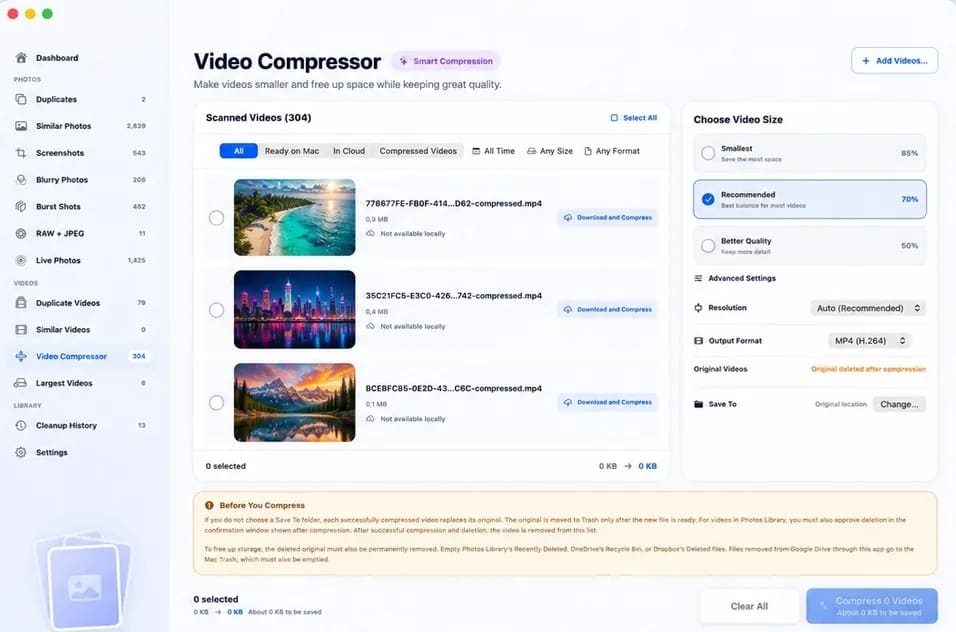
  • Vision AI: Photo Cleaner: Video compression for large clips
    Video compression for large clipsVision AI
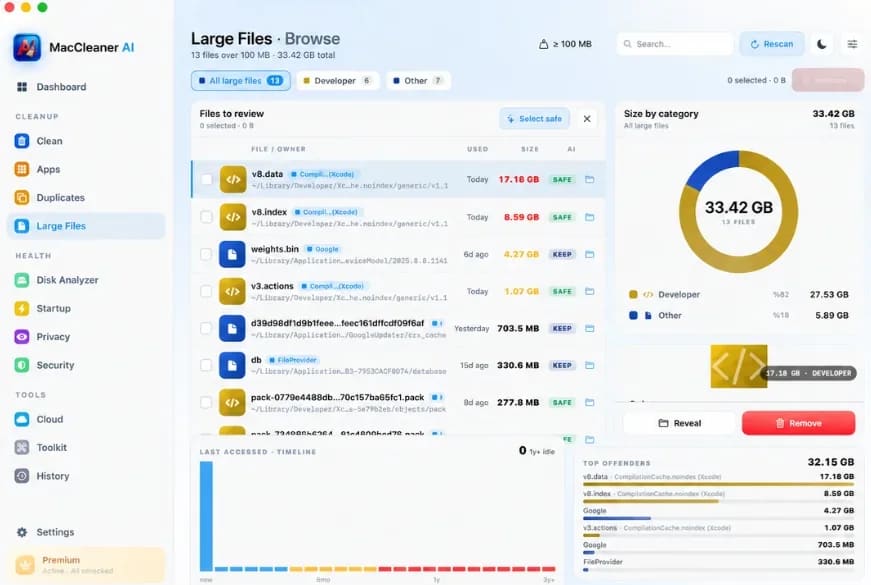
  • Smart Cleaner AI: Disk Clean: Large and forgotten files
    Large and forgotten filesSmart Cleaner AI
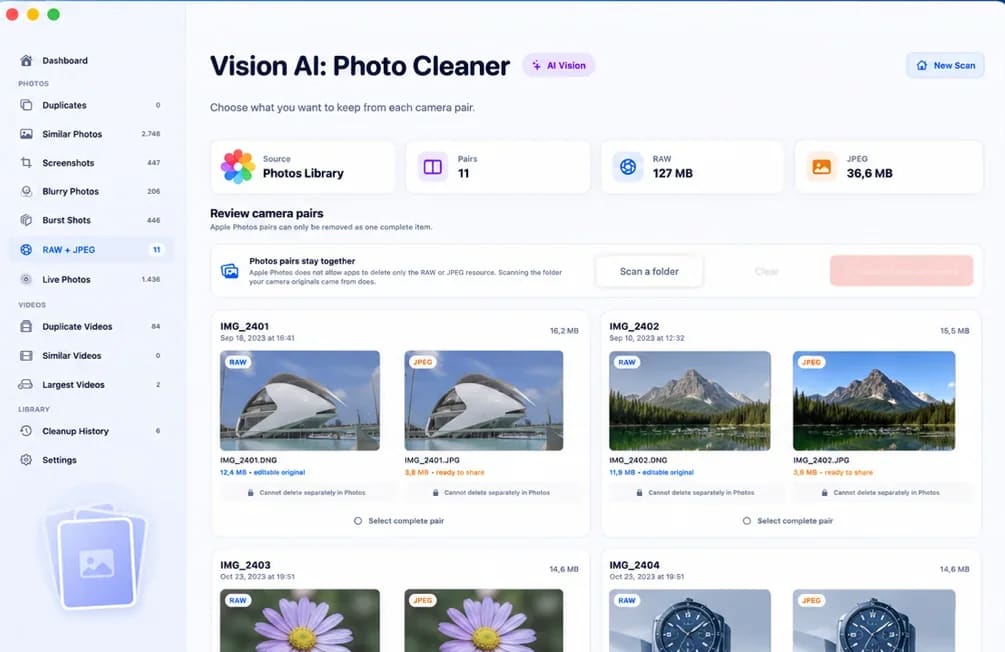
  • Vision AI: Photo Cleaner: RAW and JPEG pairs, side by side
    RAW and JPEG pairs, side by sideVision AI
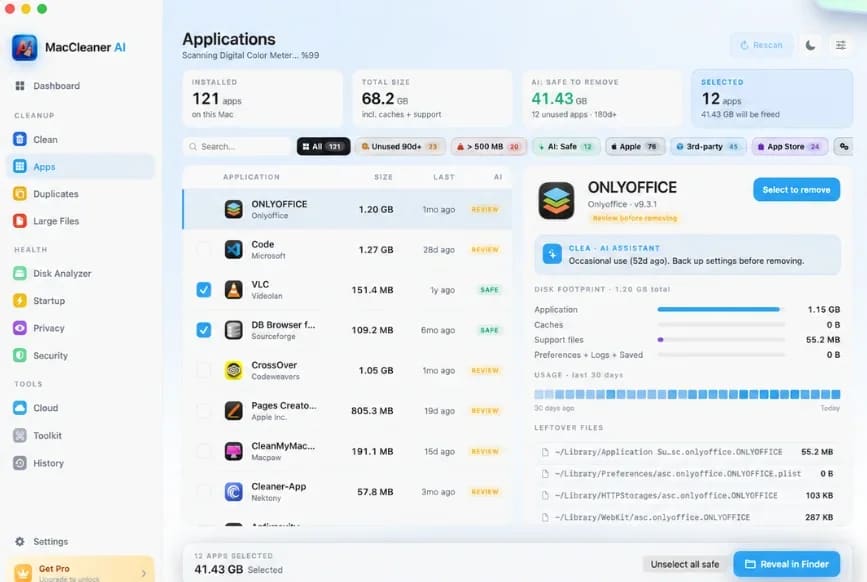
  • Smart Cleaner AI: Disk Clean: Complete app uninstalls
    Complete app uninstallsSmart Cleaner AI
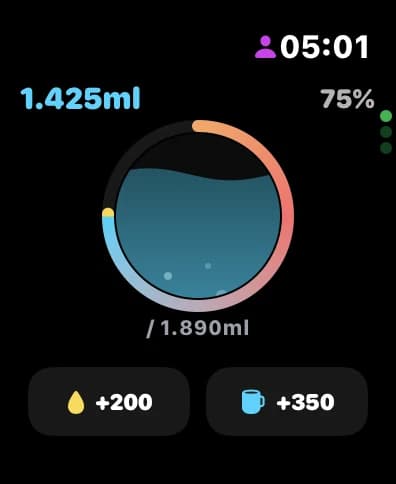
  • Water Reminder DropWise: DropWise on Apple Watch
    Water Reminder DropWise: DropWise on Apple Watch
    Water Reminder DropWise: DropWise on Apple Watch
    DropWise on Apple WatchDropWise

About DijitalWorlds

An independent studio building only for Apple platforms.

DijitalWorlds is a small, independent software company. We focus on the everyday frustrations of owning Apple devices, from full storage and cluttered libraries to habits that slip, and solve them with apps that are fast, private and carefully made. Real people answer our support email, and we ship updates when they are ready.

Questions

Frequently Asked Questions

Are DijitalWorlds apps free?

Yes. Both Clean Up Storage - Photo Clean and Water Reminder DropWise are free to download from the App Store. Optional premium features are available via in-app purchases.

Is my data safe with DijitalWorlds apps?

Yes. Photo and video scanning runs on-device without uploading your photo library to our servers. Optional sync in DropWise uses your private Apple iCloud account and HealthKit permissions.

Which systems and devices are supported?

Compatibility varies by app. Clean Up Storage - Photo Clean and Water Reminder DropWise require iOS 17.6 or later on iPhone (and watchOS 10.6+ for Apple Watch). Mac apps require macOS 14.6 or later. Check each product page or its App Store listing for current requirements.

How does Water Reminder DropWise calculate my daily goal?

DropWise calculates a baseline from your body weight (30 ml/kg) and dynamically adjusts the target based on local weather conditions such as temperature, humidity, and UV index.

  • Vision AI: Photo Cleaner
  • Smart Cleaner AI: Disk Clean
  • Clean Up Storage - Photo Clean
  • Water Reminder DropWise

Start with the app you need today.

Available on the App Store for iPhone, Mac and Apple Watch.